


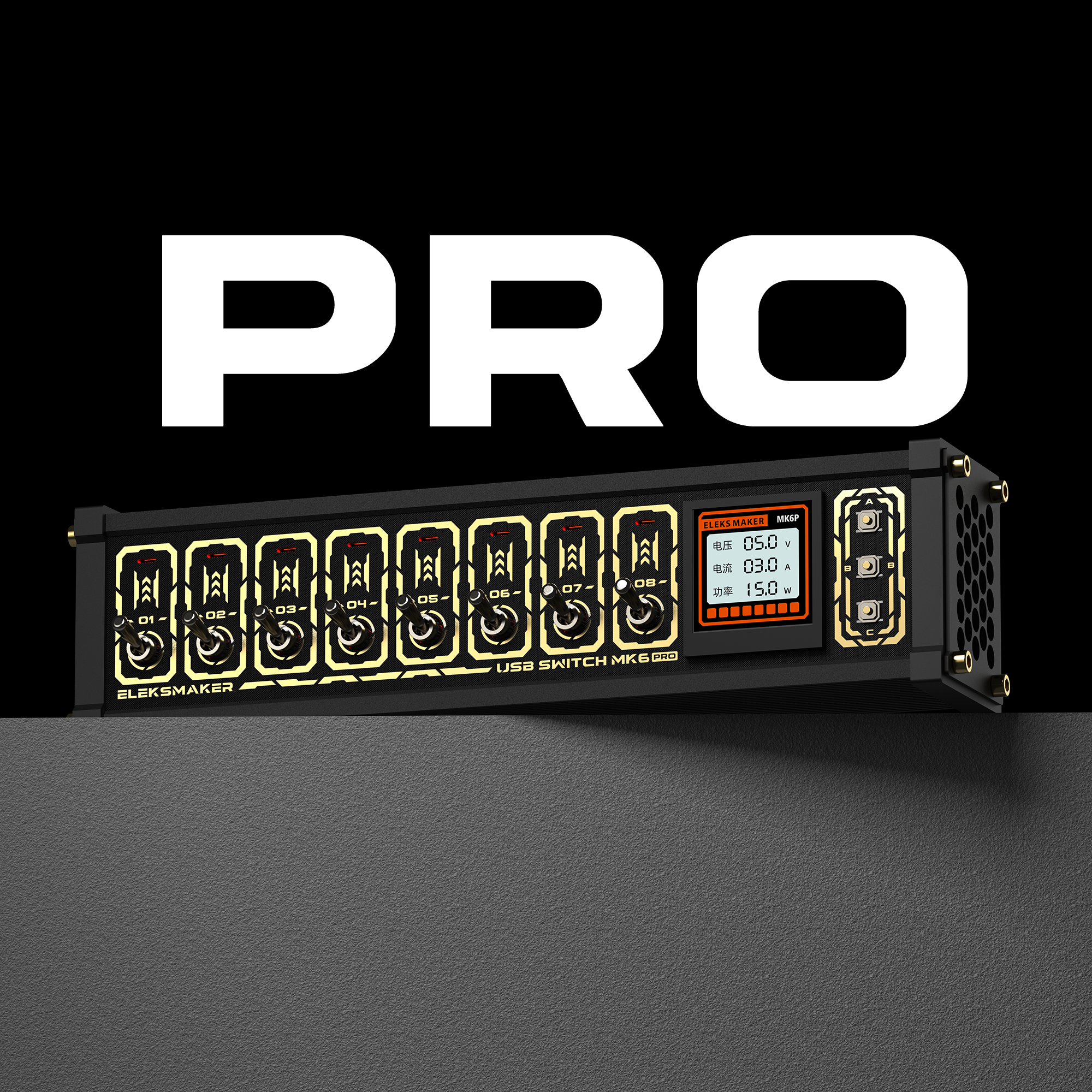
EleksMaker MK6 PRO — Smart 8-Port USB Hub with Wi-Fi
Contiguous U.S. (lower 48 states + DC): Standard shipping is free on eligible orders of $99+ after discounts; otherwise USD 9.90. Express shipping is always paid. Alaska, Hawaii, U.S. territories, and military addresses are not eligible.
Shipping options at checkout - official EleksMaker support, setup notes, and customer media below
- If you ordered the wrong item, placed the wrong quantity, or need to change the shipping address, place a corrected order first and contact us to cancel the incorrect one.
- If your country requires a tax ID or personal ID, add it at checkout to avoid customs or shipment delays.
- For compatibility, firmware, or bulk-order questions, contact support@elekstube.com before placing the order.
MK6 PRO brings EleksTube intelligence to an 8-port desktop USB control console. It keeps the same black-and-gold body, port layout, and up-to-35W output as NK6, then adds the same smart-chip platform used in EleksTube products, Wi-Fi connectivity, and a browser-based Web Control Center.
The Power Console, Now Connected
MK6 PRO gives you tactile control at the desk and connected control from a browser. Once the device joins your Wi-Fi network, open its local IP address from another device on the same network to configure functions, control individual ports, manage network settings, synchronize the time, and install supported firmware updates.
MK6 PRO vs. NK6
| Feature | MK6 PRO | NK6 |
|---|---|---|
| External design | Black-and-gold aluminum and ABS body | Same |
| USB layout | 8 independently switched USB-A ports | Same |
| Maximum output | Up to 35W total | Same |
| EleksTube smart platform | Built in | Not included |
| Wi-Fi | Yes | No |
| Browser configuration | Local Web Control Center | No |
| Automatic network time sync | Yes | No |
Web Control Center
Connect MK6 PRO to Wi-Fi during first-time setup, then access its control center through a web browser on the same local network. The portal provides a clear interface for device configuration and port control without relying on the physical switches alone.
- Control individual USB outputs from a browser
- Configure device functions and display settings
- Manage saved Wi-Fi networks
- Automatically synchronize the time
- Install supported firmware updates
8 Independently Switched USB Ports
Every USB-A output has its own mechanical toggle switch and status indicator. Four orange ports support USB 2.0 data and power for compatible wired keyboards, wired mice, USB drives, and receivers. The remaining four ports provide power only.
Up to 35W Total Output
The eight outputs are divided into two four-port banks, with up to 17.5W available per bank and up to 35W total. Dual aluminum heat sinks help manage heat during operation.
1.54-Inch Smart IPS Display
The 240 × 240 color display can show voltage, current, power, graphs, and switch status. It includes ten brightness levels, one-touch screen sleep, and multiple display modes. MK6 PRO also supports time and date screens, custom images, dot-matrix animations, and built-in mini-games.
Control It Your Way
Use the mechanical toggle switches, the three device buttons, built-in English voice control, or the local Web Control Center. English voice commands can control individual ports or all ports together.
Voice-control note: Mechanical switches and voice control cannot be used at the same time. Move all toggle switches to the down/off position before using voice control.
Specifications
| Model | MK6 PRO |
| Smart platform | Same smart chip used in EleksTube products |
| Network | Wi-Fi |
| Web control | Browser access on the same local network |
| USB outputs | 8 independently switched USB-A ports |
| Data ports | 4 USB 2.0 data-and-power ports |
| Power-only ports | 4 |
| Maximum output | 35W total; 17.5W per four-port bank |
| Display | 1.54-inch IPS, 240 × 240 pixels |
| Computer connection | USB-C data connection |
| Power input | 12V DC |
| Control methods | Mechanical switches, device buttons, English voice control, and local web control |
| Material | Aluminum alloy and ABS |
| Dimensions | 210 × 43 × 53 mm / 8.3 × 1.7 × 2.1 in |
What's in the Box
- MK6 PRO ×1
- USB data cable ×1
- 12V DC power adapter ×1
- User manual ×1
Compatibility Notes
- The four orange data ports use USB 2.0 and are best suited to wired keyboards, wired mice, USB drives, and other low-bandwidth USB 2.0 peripherals.
- The four power-only ports do not transfer data.
- MK6 PRO is not intended for high-speed USB 3.x devices such as external SSDs or capture cards.
- It is not recommended for latency-sensitive gaming peripherals, audio devices, or Xbox controller receivers.
- Use the included power adapter and data cable.
- Model: MK6 PRO
- Same smart-chip platform used in EleksTube products
- Wi-Fi with browser-based Web Control Center on the same local network
- 8 independently switched USB-A outputs: 4 USB 2.0 data-and-power ports plus 4 power-only ports
- Up to 35W total output; up to 17.5W per four-port bank
- 1.54-inch 240 × 240 IPS display
- English voice control
- 12V DC power input; USB-C computer data connection
- 210 × 43 × 53 mm
Need exact compatibility or bulk-order requirements before purchase? Email support@elekstube.com with the product name.
12-month limited warranty direct from EleksMaker. We replace defective or damaged products at no cost. Returns accepted within 30 days of delivery - see our refund policy.
- MK6 PRO ×1
- USB data cable ×1
- 12V DC power adapter ×1
- User manual ×1
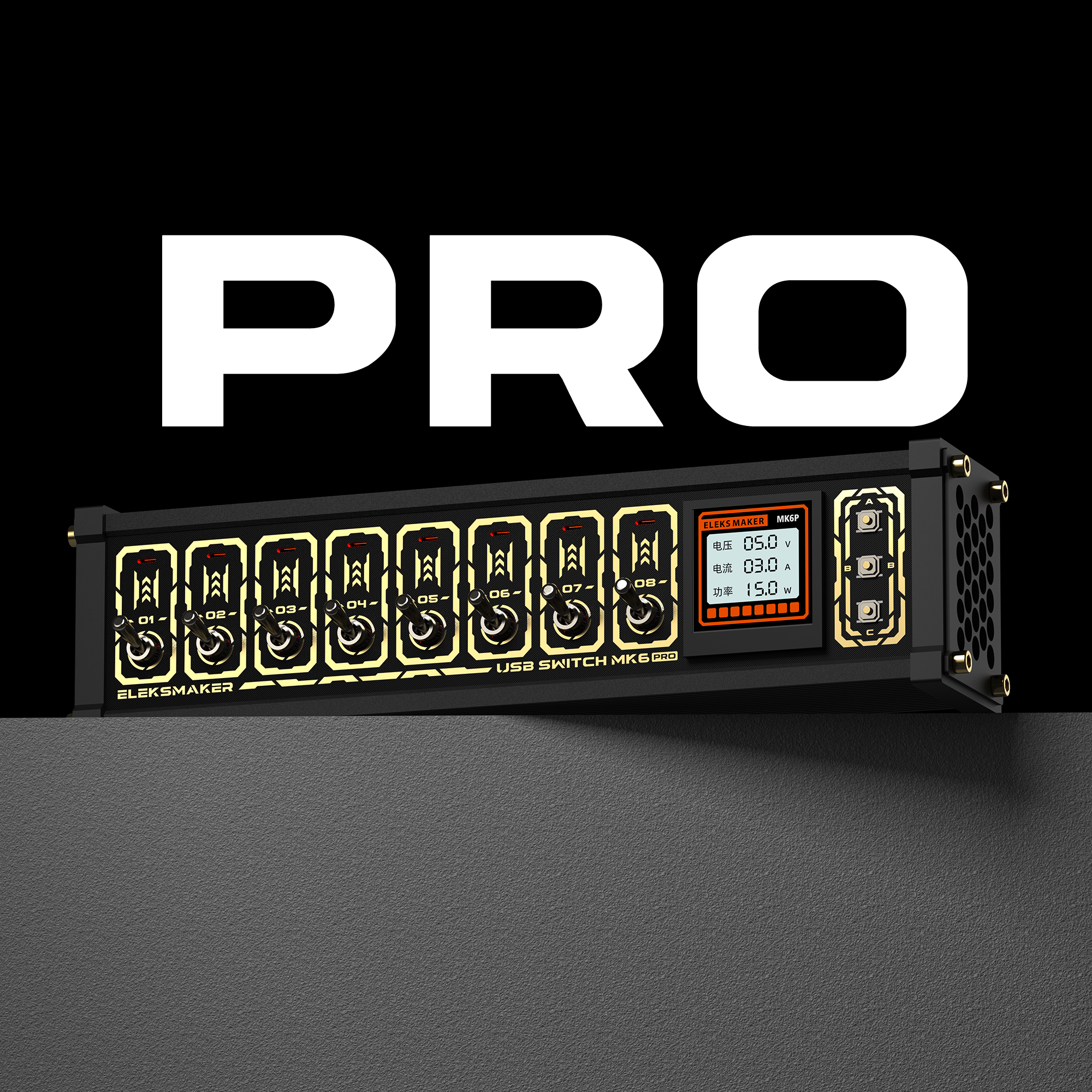
ELEKSMAKER Original Design
MK6 PRO
The familiar black-and-gold 8-port power console, now powered by the same smart-chip platform used in EleksTube products. MK6 PRO adds Wi-Fi, a browser-based Web Control Center, automatic time sync, supported firmware updates, and deeper display customization.
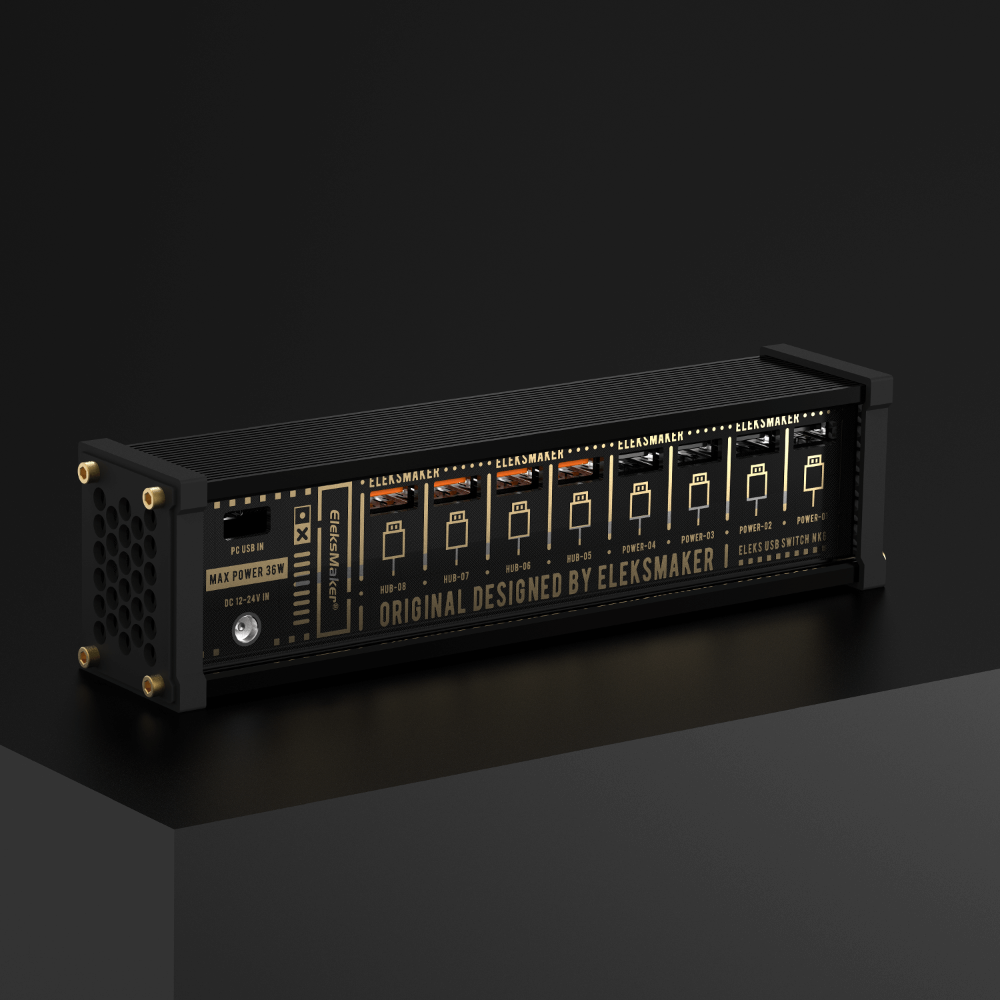
4 data ports + 4 power-only ports
All eight USB-A outputs have independent mechanical switches. The four orange ports support USB 2.0 data and power; the other four ports provide power only.
For data use, choose low-bandwidth USB 2.0 peripherals such as wired keyboards, wired mice, USB drives, and compatible receivers.
4 data ports + 4 power-only ports
All eight USB-A outputs have independent mechanical switches. The four orange ports support USB 2.0 data and power; the other four ports provide power only.
For data use, choose low-bandwidth USB 2.0 peripherals such as wired keyboards, wired mice, USB drives, and compatible receivers.
ELEKSTUBE SMART PLATFORM
The Power Console, Now Connected
MK6 PRO keeps the NK6's exterior design, port layout, and power system, then adds the same smart-chip platform used in EleksTube products.
- Connect MK6 PRO to Wi-Fi during first-time setup
- Open its local IP address in a browser on the same network
- Control individual USB outputs and configure device functions
- Manage saved Wi-Fi networks and synchronize time automatically
- Install supported firmware updates through the Web Control Center
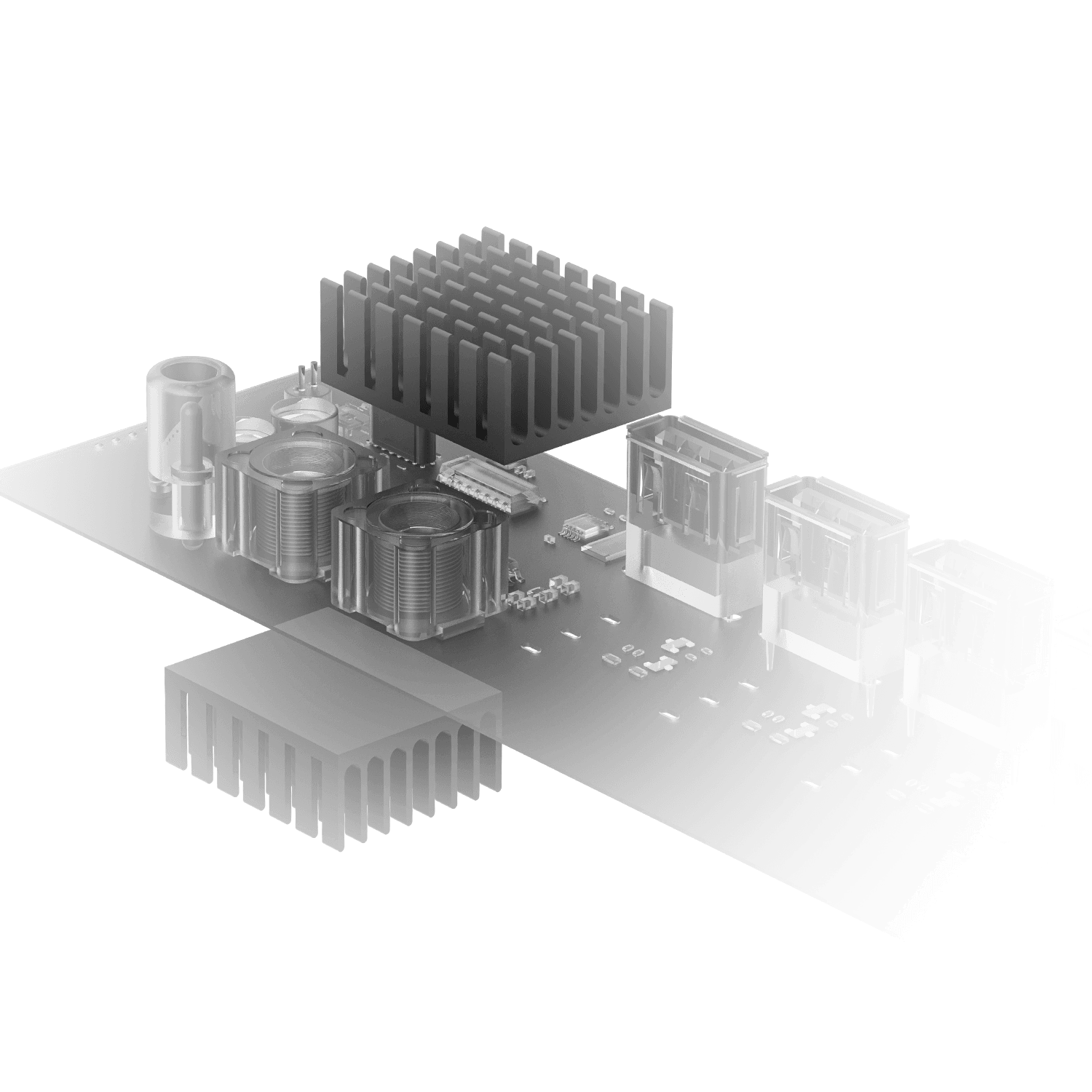
True 35W power
8 ports with a total output of up to 35W
The outputs are divided into two four-port banks, with up to 17.5W available per bank. Dual aluminum heat sinks help manage heat, while the included 12V DC adapter provides stable power for multiple connected devices.
True 35W power
8 ports with a total output of up to 35W
The outputs are divided into two four-port banks, with up to 17.5W available per bank. Dual aluminum heat sinks help manage heat, while the included 12V DC adapter provides stable power for multiple connected devices.
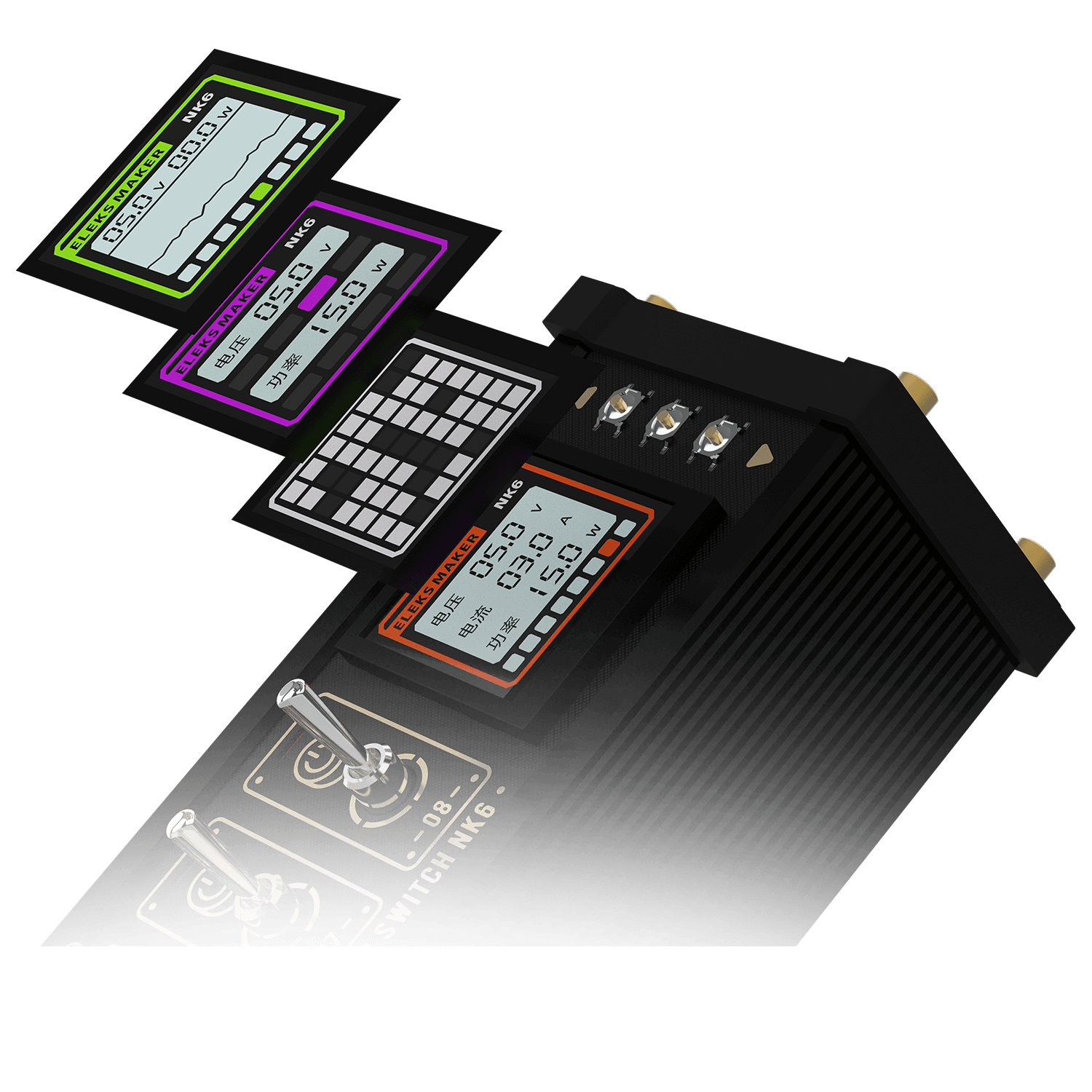
Large-size Color Display
1.54-inch IPS color display with 240 × 240 resolution
View voltage, current, power, graphs, and switch status at a glance. Ten brightness levels, one-touch screen sleep, time and date screens, custom images, and dot-matrix animations let you make the display your own.
Large-size Color Display
1.54-inch IPS color display with 240 × 240 resolution
View voltage, current, power, graphs, and switch status at a glance. Ten brightness levels, one-touch screen sleep, time and date screens, custom images, and dot-matrix animations let you make the display your own.
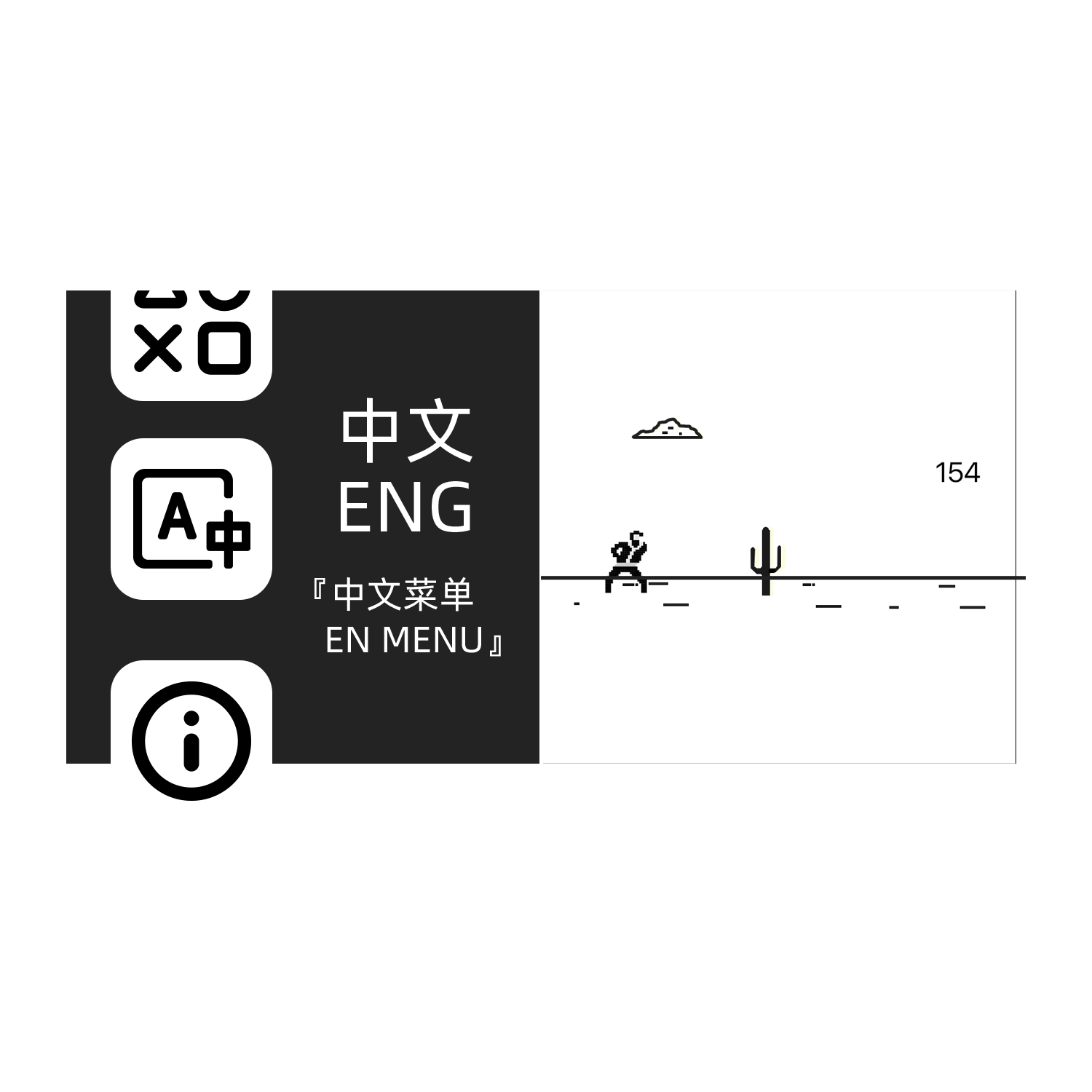
Control it your way
- Eight mechanical toggle switches for direct, tactile control
- Three menu buttons for display and system settings
- Built-in English voice control for individual ports or all ports together
- Local browser control through the Web Control Center
- Built-in casual mini-games and customizable display content
Voice-control note: Move all toggle switches to the down/off position before using voice control.
Control it your way
- Eight mechanical toggle switches for direct, tactile control
- Three menu buttons for display and system settings
- Built-in English voice control for individual ports or all ports together
- Local browser control through the Web Control Center
- Built-in casual mini-games and customizable display content
Voice-control note: Move all toggle switches to the down/off position before using voice control.
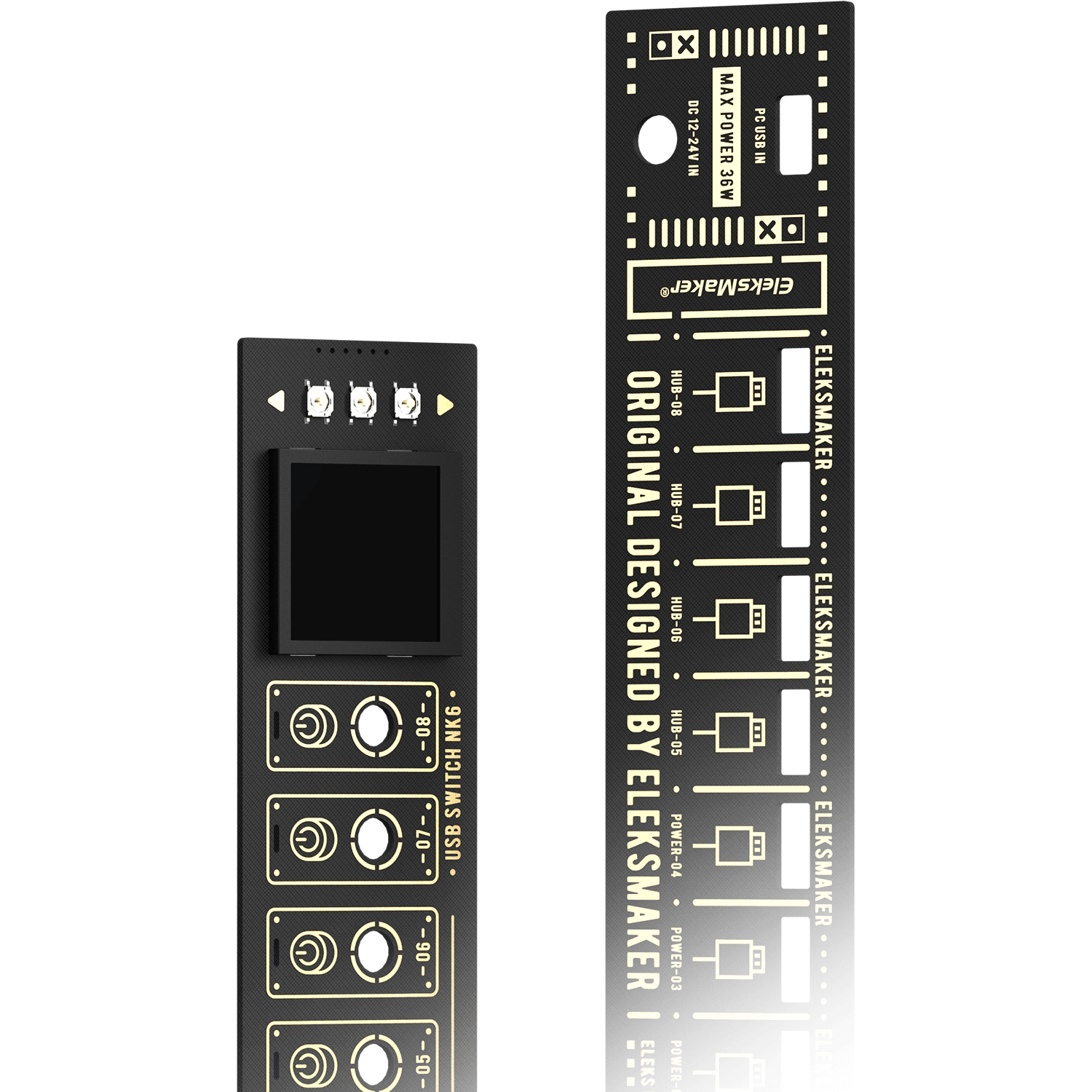
PCB Immersion Gold Process
MK6 PRO preserves EleksMaker's black-and-gold immersion-gold PCB design, aluminum and ABS construction, metal toggle switches, and ventilated side panels. The exterior, port layout, and power system remain consistent with NK6 while the internal smart platform adds Wi-Fi functionality.
PCB Immersion Gold Process
MK6 PRO preserves EleksMaker's black-and-gold immersion-gold PCB design, aluminum and ABS construction, metal toggle switches, and ventilated side panels. The exterior, port layout, and power system remain consistent with NK6 while the internal smart platform adds Wi-Fi functionality.
Product Specifications
- Model
- MK6 PRO
- Smart control
- Wi-Fi + Local Web Control Center
- USB ports
- 8 independently switched USB-A ports
- Data
- 4 USB 2.0 data-and-power ports; 4 power-only ports
- Maximum output
- 35W total; 17.5W per four-port bank
- Display
- 1.54-inch IPS; 240 × 240 pixels
- Controls
- Mechanical switches, device buttons, English voice control, and web control
- Connection & power
- USB-C data; 12V DC input
- Dimensions
- 210 × 43 × 53 mm
MK6 PRO Frequently Asked Questions
What is the difference between MK6 PRO and NK6?
MK6 PRO keeps NK6's black-and-gold exterior, eight-port layout, and up-to-35W power system, but adds the same smart-chip platform used in EleksTube products. This enables Wi-Fi, local browser control, automatic time synchronization, device configuration, and supported firmware updates through the Web Control Center.
What can I configure in the Web Control Center?
The local web portal lets you control individual USB outputs, configure device and display settings, manage saved Wi-Fi networks, synchronize the clock, and install supported firmware updates.
How do I access the Web Control Center?
Connect MK6 PRO to Wi-Fi during first-time setup. Once connected, enter the device's local IP address in a browser on a phone or computer connected to the same network.
Does MK6 PRO require a mobile app or cloud account?
No. Configuration and control are handled through a standard web browser on your local network. A dedicated mobile app and cloud account are not required.
Can I control MK6 PRO over the internet?
No. The documented browser-control function works on the same local network as MK6 PRO. Remote control over the public internet is not supported.
Which MK6 PRO ports support data transfer?
The four orange USB-A ports support USB 2.0 data and power. The remaining four USB-A ports provide power only. The data ports are intended for low-bandwidth peripherals such as wired keyboards and wired mice.
Can I control each USB output independently?
Yes. Each output can be controlled with its mechanical switch or through the local Web Control Center. MK6 PRO also includes device buttons and built-in English voice control.
Can I use voice control while the mechanical switches are on?
No. Mechanical switching and voice control cannot be used at the same time. Move all eight toggle switches to the down/off position before using English voice commands.
How much power can MK6 PRO deliver?
MK6 PRO supports up to 35W total output. The eight ports are divided into two four-port banks, with up to 17.5W available per bank when used with the included 12V DC power adapter.